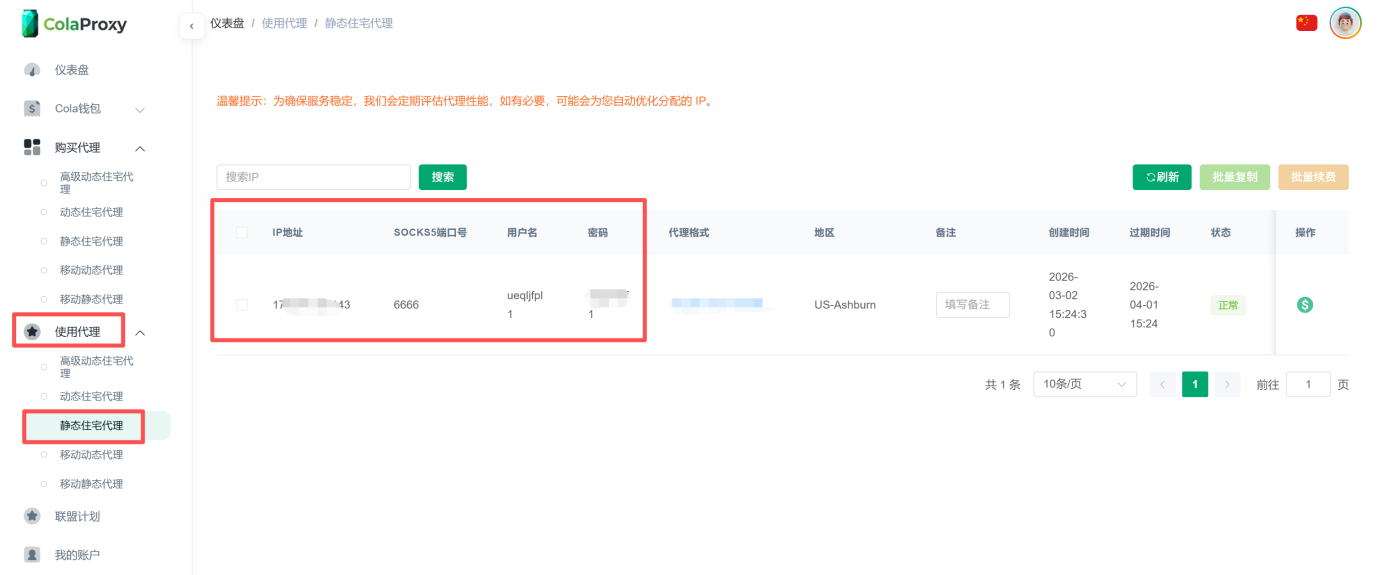
Static Residential ISP Proxy User Guide
Why can't I connect after adding the IP in the fingerprint browser?
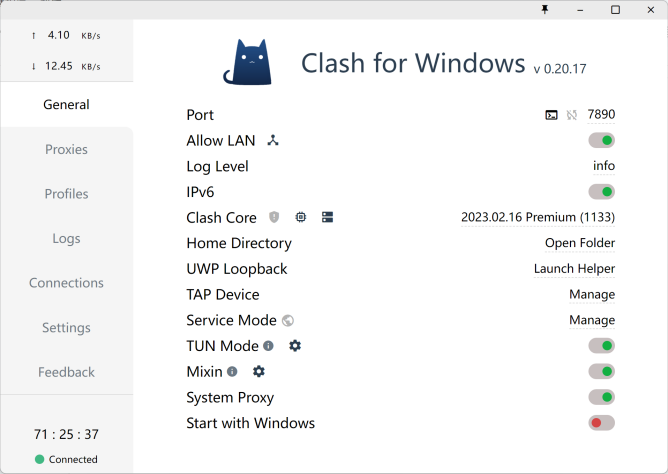
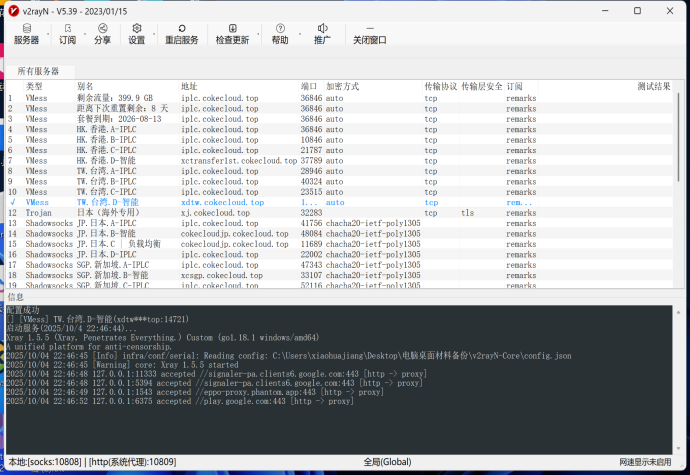
We currently support integration with BitBrowser, AdsPower, and OKBrowser fingerprint browsers. Please note that when using these fingerprint browsers in China, you need to first enable a local proxy tool (such as Clash or V2) as a relay to ensure a proper connection.
Important Notes
- OKBrowser: Currently only supports Clash and V2 proxy tools. Please note that Clash and Clash Verge are two different applications — make sure you are using Clash.
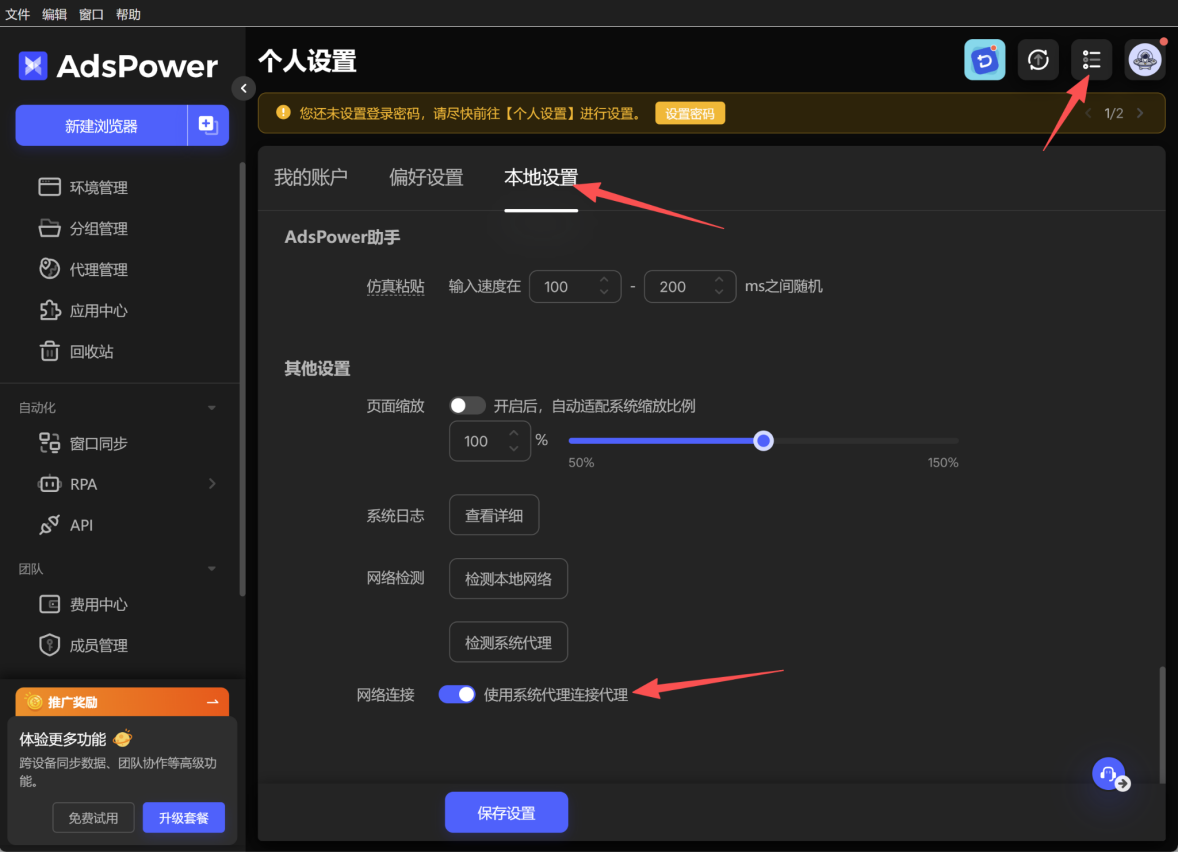
- AdsPower: You need to enable "System Proxy" in the software settings and ensure your local proxy tool is running properly.
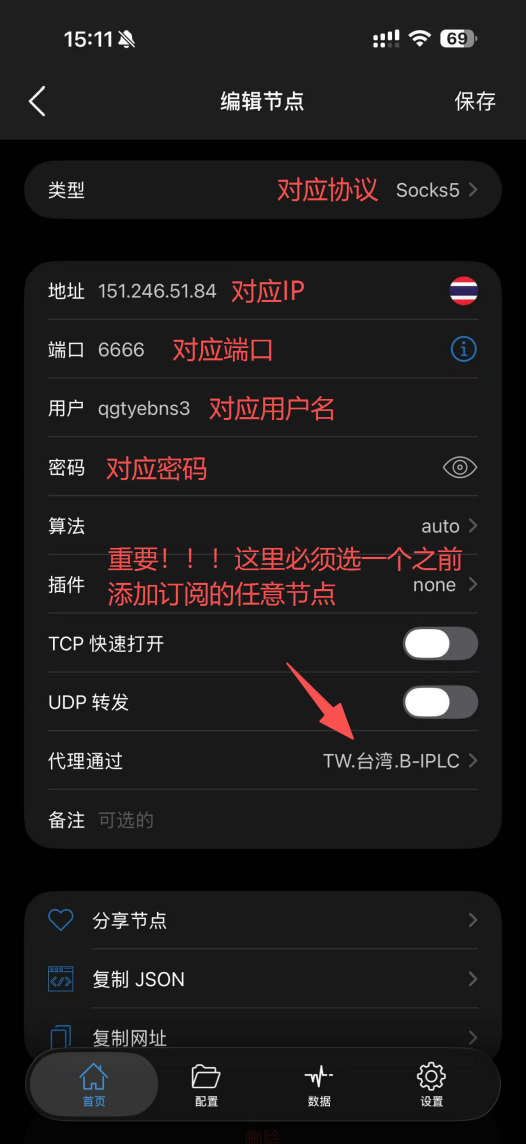
Common Issues with Shadowrocket on Apple Devices
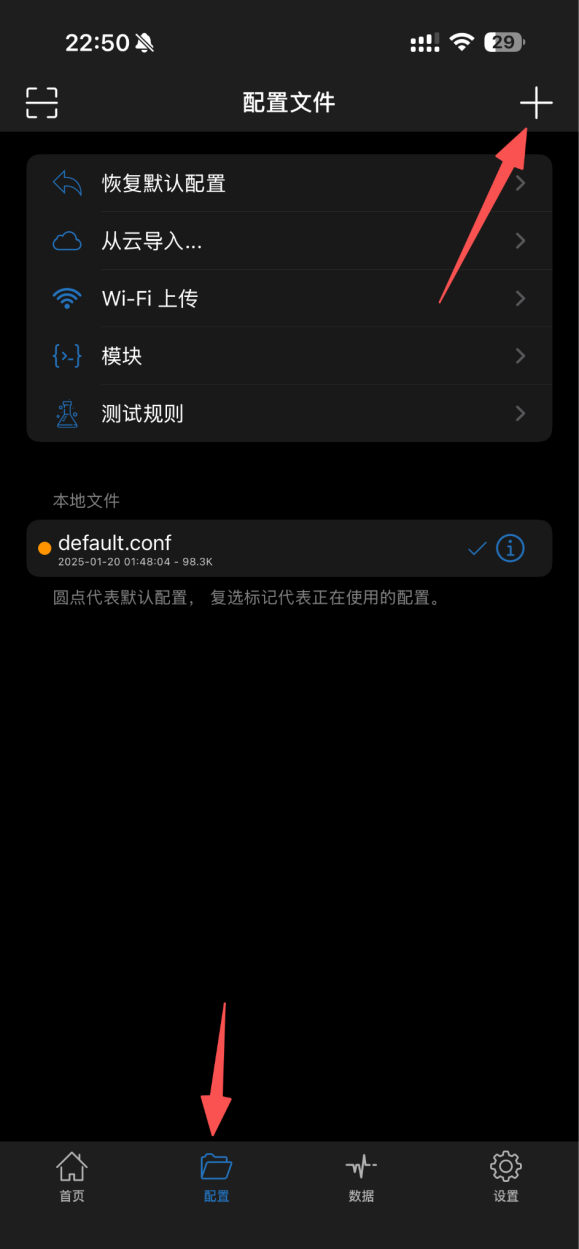
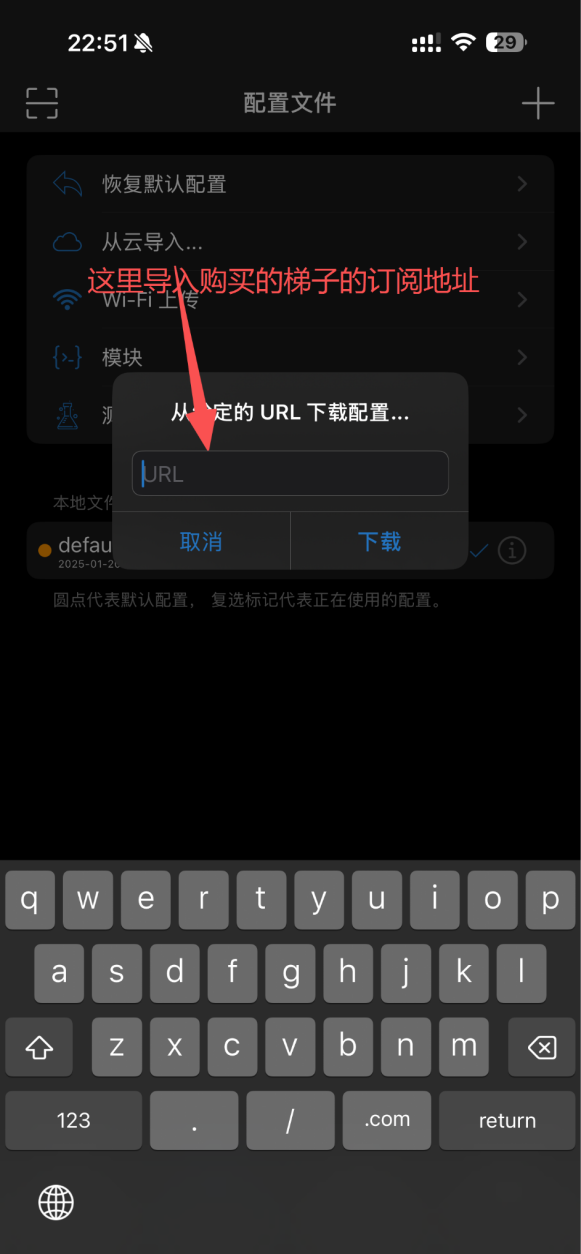
Tip 1: How to add a proxy node?
First, you need to purchase and obtain a valid proxy subscription URL.
If you are not familiar with how to obtain a subscription URL, we recommend searching for relevant tutorials on search engines (like Google) to learn the basic concepts and operation process.
Tip 2: What to do if the static proxy still can't connect?
If you still cannot connect after following the video tutorial, please check whether you have correctly selected an available proxy node as a relay when adding the proxy configuration. Ensuring the node status is normal and available is the key to a successful connection.